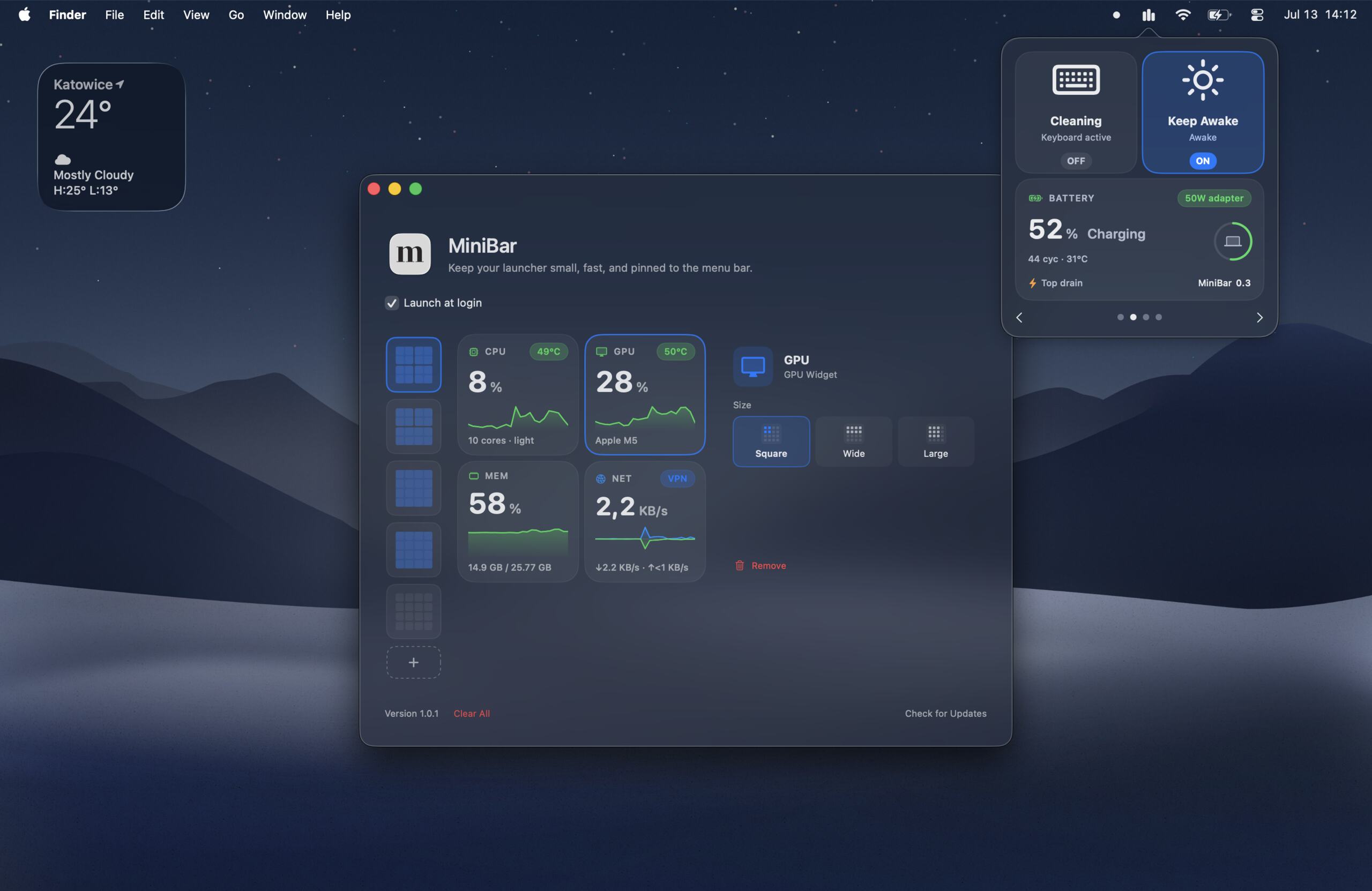
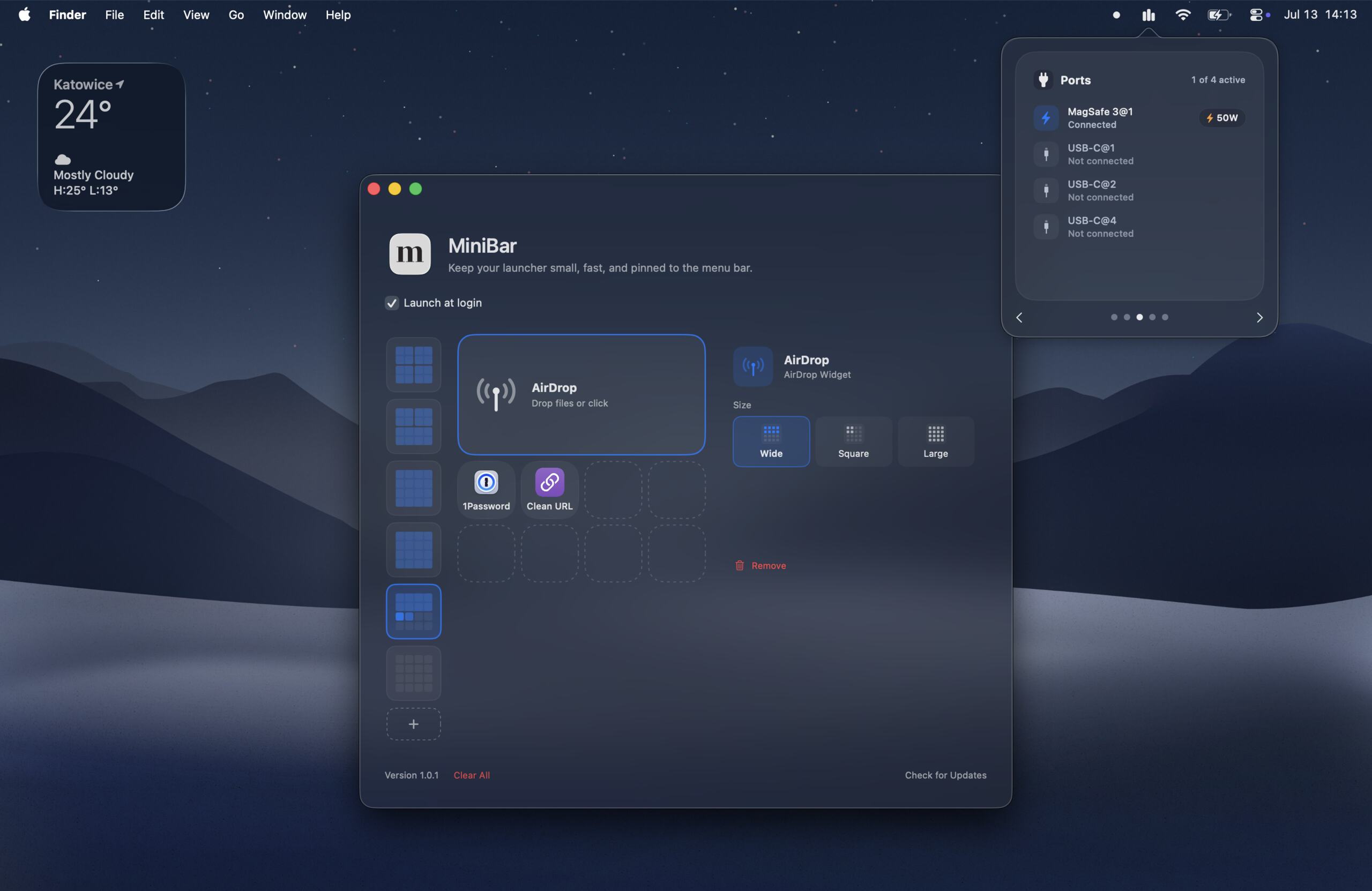
MiniBar is a small launcher that lives in the macOS menu bar. Click the icon, pick the thing you need, and get back to what you were doing. Supports swiping pages on the trackpad.
It is not trying to replace Spotlight, Raycast, Alfred, your Dock, or whatever carefully balanced chaos already works on your Mac. It is for the things you want one click away without opening another big command center.
What it launches
- Apps — pin the apps you use often, with their real app icons
- Websites — save a page or tool as a quick tile
- Shortcuts — run macOS Shortcuts directly from the popover
- AirDrop — pick files and send them without hunting through share sheets
Widgets
MiniBar also has widgets for things that are annoying to dig up elsewhere:
- CPU usage and temperature
- GPU usage and temperature
- RAM usage
- Disk usage
- Network VPN status and bandwidth
- Battery temperature, cycle count, remaining time, top drain process
- Top Processes top 5 processes using the most CPU or memory
- USB-C, MagSafe, cable speed, and wattage details on Apple Silicon Macs
- Keep Awake — for when the Mac should stay awake
- Cleaning mode — for locking keyboard input while wiping the keyboard
How it works
The popover is a paged 4x4 grid. In preferences, you can add tiles into empty slots, drag them around, resize widgets, rename items, and remove anything that stops being useful.
Sparkle handles updates. Hardware stats use macOS system APIs, so the deeper port and temperature details are designed for Macs where that data is available.
Price
MiniBar is a one-time purchase: $7.99.
No subscription. No account. No ads. No telemetry.
Requirements
- macOS 26 or later
- Apple Silicon recommended for the ports widget